Businesses receive customer inquiries every day through websites, emails, social media, WhatsApp, and phone calls. Responding to every message manually can be time-consuming, especially as your business grows. Delayed responses, missed follow-ups, and inconsistent communication can lead to lost opportunities and dissatisfied customers.
This is where automated client communication becomes valuable.
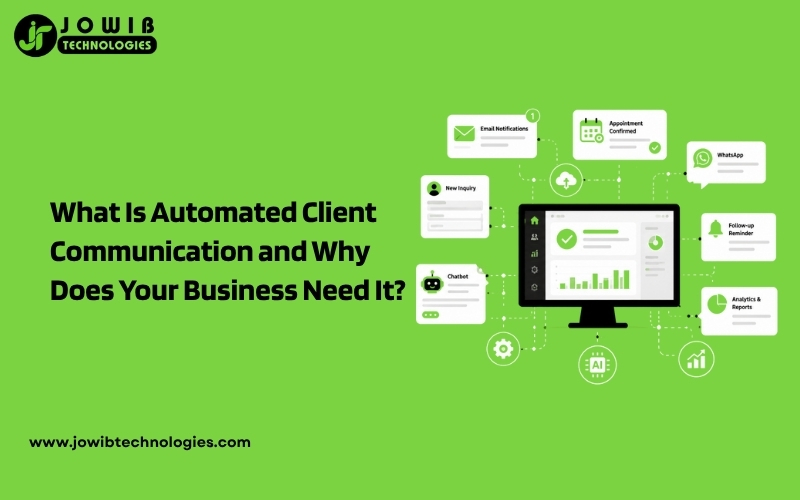
Automated client communication helps businesses respond to customers quickly, send timely updates, schedule appointments, follow up with leads, and keep clients informed without requiring constant manual effort. Instead of replacing human interaction, automation supports your team by handling repetitive tasks while allowing staff to focus on meaningful conversations and business growth.
In this guide, you’ll learn what automated client communication is, how it works, its benefits, and why businesses of all sizes should consider implementing it.
What Is Automated Client Communication?
Automated client communication is the process of using software, workflows, or AI-powered tools to send messages, respond to inquiries, and manage customer interactions automatically based on predefined actions or triggers.
For example:
- A customer fills out a contact form.
- The system instantly sends a confirmation email.
- The sales team receives a notification.
- The customer receives a follow-up message the next day.
- If there’s no response, another reminder is sent automatically.
All of this happens without someone manually sending each message.
Automation ensures every customer receives timely communication while reducing repetitive administrative work.
You Can Also Read : What Is Business Automation? Everything You Need to Know
How Automated Client Communication Works
Most automation systems follow a simple workflow:
Step 1: Customer Takes an Action
The process begins when a customer:
- Submits a website inquiry
- Books an appointment
- Downloads a brochure
- Requests a quotation
- Makes a purchase
- Sends a WhatsApp message
- Completes a registration form
Step 2: Automation Detects the Action
The automation platform identifies the trigger and starts the predefined workflow immediately.
Examples include:
- New lead submitted
- Appointment confirmed
- Payment completed
- Service request received
- Support ticket created
You Can Also Read : What Is Support Ticket Automation and How Does It Work?
Step 3: Automated Messages Are Sent
The system automatically sends relevant communication such as:
- Welcome emails
- Booking confirmations
- Order confirmations
- Payment receipts
- Appointment reminders
- Follow-up emails
- Customer satisfaction surveys
Step 4: Team Members Receive Notifications
Automation doesn’t only communicate with customers.
It can also notify your team when:
- A new lead arrives
- A customer needs urgent assistance
- A payment is overdue
- An appointment is canceled
- A support ticket is assigned
Why Businesses Need Automated Client Communication
Modern customers expect fast responses.
Research consistently shows that businesses responding quickly are more likely to convert leads into paying customers.
Without automation, businesses often face challenges like:
- Slow response times
- Missed inquiries
- Forgotten follow-ups
- Inconsistent communication
- Increased workload for employees
Automation solves these problems by ensuring every customer receives prompt and professional communication.
Benefits of Automated Client Communication
1. Respond to Customers Instantly
Customers appreciate immediate acknowledgment.
Instead of waiting hours for a reply, they receive confirmation within seconds.
Example:
“Thank you for contacting us. Our team has received your request and will get back to you shortly.”
Instant communication improves customer confidence and creates a positive first impression.
2. Never Miss a Lead
Many businesses lose potential customers simply because no one follows up in time.
Automation captures every inquiry and ensures:
- Every lead receives a response
- Sales teams are notified immediately
- Follow-up reminders are scheduled automatically
This reduces lost opportunities and improves conversion rates.
3. Save Valuable Time
Employees often spend hours each week sending repetitive emails and messages.
Automation handles tasks like:
- Appointment confirmations
- Reminder messages
- Welcome emails
- Thank-you emails
- Follow-ups
- Invoice notifications
This allows your team to focus on sales, customer service, and strategic work.
4. Maintain Consistent Communication
Manual communication often varies depending on who sends the message.
Automation ensures every client receives:
- Consistent branding
- Professional language
- Accurate information
- Timely updates
Consistency builds trust and strengthens your brand image.
5. Improve Customer Experience
Customers like being informed throughout their journey.
Automation keeps them updated with:
- Booking confirmations
- Delivery notifications
- Appointment reminders
- Project progress updates
- Service completion messages
Regular communication reduces uncertainty and improves satisfaction.
6. Reduce Human Errors
Manual communication can result in:
- Forgotten emails
- Incorrect information
- Missed appointments
- Duplicate messages
Automation minimizes these mistakes by following predefined workflows accurately.
7. Increase Team Productivity
When routine communication is automated, employees can spend more time on:
- Closing sales
- Solving customer issues
- Business development
- Building client relationships
Higher productivity often leads to improved business performance.
Common Tasks You Can Automate
Almost every business has repetitive communication tasks that can be automated.
Examples include:
Lead Management
- Contact form responses
- Lead qualification
- Quote requests
- Demo scheduling
You Can Also Read: What Is Lead Management Automation and Why Every Business Needs It
Appointment Management
- Booking confirmations
- Appointment reminders
- Rescheduling notifications
- Follow-up messages
Customer Support
- Ticket confirmations
- Status updates
- FAQ responses
- Feedback requests
Sales Communication
- Welcome emails
- Product recommendations
- Proposal follow-ups
- Payment reminders
Marketing
- Newsletter subscriptions
- Promotional campaigns
- Event invitations
- Seasonal offers
Industries That Benefit from Automated Client Communication
Automation works across almost every industry.
Healthcare
- Appointment reminders
- Prescription notifications
- Patient follow-ups
- Health check reminders
Real Estate
- Property inquiry responses
- Viewing confirmations
- Lead nurturing
- Document reminders
Education
- Course enrollment confirmations
- Class reminders
- Assignment notifications
- Student updates
Beauty and Wellness
- Appointment bookings
- Promotional offers
- Membership renewals
- Customer feedback requests
E-commerce
- Order confirmations
- Shipping updates
- Cart recovery messages
- Product review requests
Professional Services
Law firms, consultants, accountants, and agencies can automate:
- Client onboarding
- Meeting scheduling
- Document requests
- Invoice reminders
Popular Channels for Automated Client Communication
Automation isn’t limited to email.
Businesses commonly automate communication through:
- SMS
- Website chatbots
- Live chat
- CRM systems
- Mobile apps
- Social media messaging platforms
Using multiple channels helps businesses reach customers where they are most active.
AI vs Traditional Automation
Many businesses now combine automation with artificial intelligence.
| Traditional Automation | AI-Powered Communication |
|---|---|
| Follows predefined rules | Understands customer intent |
| Sends scheduled messages | Answers common questions |
| Executes fixed workflows | Personalizes responses |
| Best for repetitive tasks | Learns from interactions |
| Requires manual updates for changes | Supports more natural conversations |
Combining both approaches creates a more efficient and engaging customer experience.
Best Practices for Automated Client Communication
To get the best results, follow these guidelines:
- Respond instantly, but keep messages personal.
- Use the customer’s name whenever possible.
- Write clear and concise messages.
- Avoid sending too many notifications.
- Review automation workflows regularly.
- Provide an easy way to contact a real person.
- Test your workflows before making them live.
- Monitor performance and improve based on customer feedback.
Automation should make communication more helpful—not overwhelming.
You Can Also Read : What Is Workflow Automation and Why Business Needs It
Signs Your Business Needs Automated Client Communication
You should consider automation if your business experiences any of these challenges:
- Your team spends hours replying to similar inquiries.
- Customers complain about slow responses.
- Leads are not followed up consistently.
- Appointment reminders are sent manually.
- Employees miss important client messages.
- Your business receives a high volume of inquiries.
- Communication becomes difficult during weekends or after business hours.
If any of these situations sound familiar, automation can significantly improve your operations.
Conclusion
Automated client communication is more than a convenience—it’s a practical solution for businesses looking to improve responsiveness, reduce manual work, and deliver a consistent customer experience. By automating routine tasks such as inquiry responses, appointment reminders, follow-ups, and customer updates, businesses can save time, minimize errors, and ensure no opportunity is overlooked.
Whether you’re a small business or a growing enterprise, implementing automated communication can help you strengthen client relationships, increase productivity, and support long-term growth. When combined with thoughtful human interaction, automation creates a communication process that is both efficient and customer-focused.